

ChatGPT is the most widely used AI tool in the world, and also one of the most misunderstood. Most people who have heard of it have either never tried it, tried it once and typed something vague that produced a disappointing result, or use it occasionally without ever getting close to the value it can provide. This complete beginner guide to how to use ChatGPT covers everything you actually need to know — setting up your account, understanding what it can and cannot do, writing requests that produce useful results, and building the specific habits that turn ChatGPT from an interesting experiment into a genuinely useful daily tool. By the end of this guide, you will know how to use ChatGPT well enough to get real value from it today.
What ChatGPT Is and How It Actually Works
ChatGPT is a conversational AI tool made by OpenAI. You type a question, instruction, or request — called a prompt — and it generates a response. The response is not retrieved from a database of pre-written answers. It is generated fresh, specifically for your prompt, by a large language model that has been trained on an enormous amount of text.
This matters practically because it means ChatGPT can respond to almost any request in almost any format — not because it has a pre-written answer ready, but because it generates a new one each time. Ask it to explain quantum physics, draft a wedding speech, debug a spreadsheet formula, translate a paragraph into French, write a poem about your cat, or suggest a meal plan for the week — it generates a response to each of these from scratch, tailored to exactly what you asked.
Understanding how to use ChatGPT effectively starts with understanding this: the quality of what comes back is directly determined by the quality of what you put in. ChatGPT is not a search engine that finds the best existing answer. It is a language model that generates a response to your specific input. Clear, specific input produces clear, specific output. Vague input produces generic output.
How to Use ChatGPT: Setting Up Your Free Account
Setting up a ChatGPT account takes under five minutes and requires no payment details for the free tier.
Go to chatgpt.com in any web browser. Click “Sign up” in the top right corner. You can sign up with your email address, or sign in instantly using an existing Google or Microsoft account — the latter is faster and means one fewer password to remember.
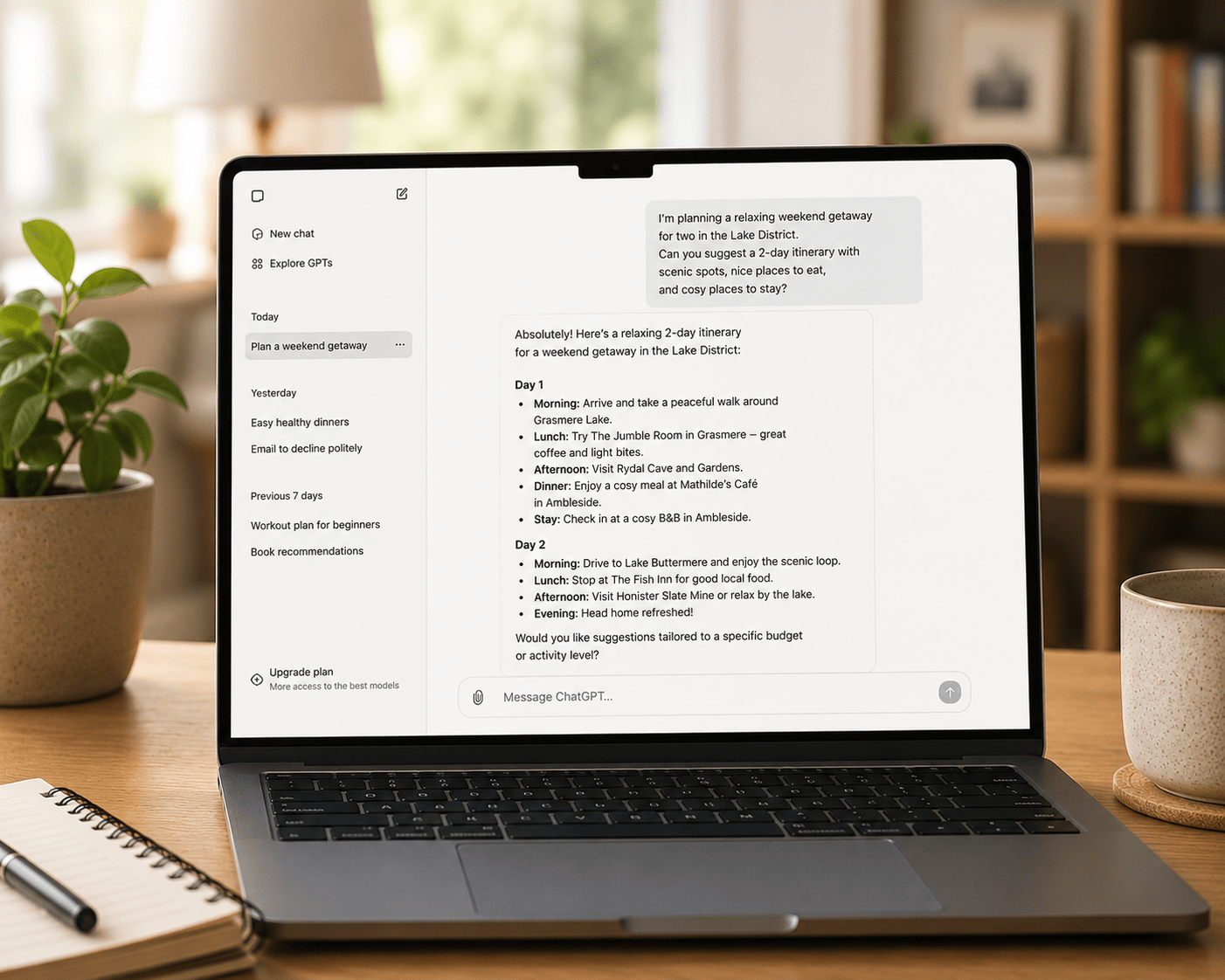
Once you are in, you see a clean interface: a text box at the bottom of the screen and a conversation area above it. There is a sidebar on the left where your past conversations are saved, and a small menu in the top right corner with your account settings.
Before starting, it is worth spending two minutes in Settings. Click your name or the icon in the top right corner, then Settings. Under the Data Controls section, you can turn off the option that allows OpenAI to use your conversations to train future models. This is a matter of personal preference — turning it off means your conversations are not used for training, but also means ChatGPT’s memory features are more limited.
The free tier gives you access to GPT-5.3, which is genuinely capable for everyday tasks. You have a limit of ten messages every five hours on the full model, after which the interface automatically switches to a lighter version until your limit resets. For light or occasional use, you will rarely hit this limit. For regular daily use, the $20 per month Plus plan removes most practical restrictions.
How to Use ChatGPT: Your First Conversation
The most common mistake in a first ChatGPT session is asking something abstract to test the AI rather than asking something specific that you actually want help with. “What can you do?” produces an impressive but unhelpful list. “Help me write a polite email declining a meeting invitation from a colleague” produces something immediately useful.
Start with a real task. Something you genuinely need done or a genuine question you want answered. Here are several examples of first prompts that produce immediately useful results.
“I have a performance review with my manager next week. Please help me prepare a list of the key things I should cover — my achievements from the past year, the areas where I want to develop, and what I want from my career in the next twelve months. Ask me questions to help me think this through.”
“My elderly father has just been diagnosed with atrial fibrillation. Please explain in plain English what this condition is, what it typically means for daily life, and what questions we should ask his cardiologist.”
“I run a small bakery and I want to start posting on Instagram. Can you write five Instagram captions for different types of posts — one for a new product, one for a behind-the-scenes photo, one for a customer testimonial, one for a seasonal offer, and one to build community engagement? Keep the tone warm and local.”
Each of these prompts is specific, real, and produces output you can use immediately rather than a generic demonstration of what ChatGPT can do.
The Four Elements of Prompts That Get Great Results
Understanding how to use ChatGPT well is largely a matter of understanding how to write prompts that get great results. The following four elements, when included, consistently produce stronger output than prompts that omit them.
Role. Tell ChatGPT what role or perspective to take. “Act as an experienced HR manager” or “You are a plain-English financial adviser” or “Imagine you are a patient teacher explaining this to someone who finds numbers difficult.” Establishing a role frames the response in a way that matches your needs.
Task. Be specific about what you want. Use a clear action verb — write, explain, summarise, compare, analyse, rewrite, translate, list — and describe the deliverable precisely. “Write a two-paragraph explanation” is more useful than “tell me about.”
Context. Give ChatGPT the background it needs to tailor the response. Who is the audience? What is the purpose? If any constraints apply, what are they? What has already been tried? What tone is appropriate? The more relevant context you provide, the more targeted the output.
Format. Specify how you want the response structured. “Give me five bullet points,” “write this as a formal letter,” “keep it under 100 words,” “use simple language with no technical terms” — these instructions directly shape the output and dramatically reduce the editing required.
Not every prompt needs all four elements. A simple factual question needs none of them. A complex writing task benefits from all four. Developing a sense of which elements to include for which type of request comes quickly with practice, as our guide to writing better AI prompts covers in detail.
How to Use ChatGPT for the Most Common Everyday Tasks
Writing emails.
Describe the email you need — the recipient, the situation, the tone, the desired outcome, and the approximate length. ChatGPT drafts it. Review, adjust for your voice, and send. The drafting process drops from fifteen minutes to two minutes for most emails.
Summarising long content.
Paste any long text — an article, a report, a contract, a long email thread — and ask for a summary. “Summarise the key points of this in five bullet points” or “Give me a one-paragraph summary and then list any action items mentioned.” ChatGPT processes long text quickly and accurately.
Explaining complicated things.
Ask ChatGPT to explain anything in plain language. “Explain how a defined benefit pension scheme works as if I have no financial background.” “Explain what this legal clause means in plain English.” “Spell out the difference between a bacterial and a viral infection and why antibiotics only work for one of them.” Clear, specific explanation requests produce clear, specific answers.
Brainstorming and ideation.
Describe the problem or project and ask for ideas. “I’m planning a fortieth birthday party for my wife who loves outdoor activities and cooking. Give me ten unusual party ideas that combine both interests.” “I’m trying to think of a name for my dog grooming business that sounds professional but friendly. Give me twenty suggestions.” The sheer volume of ideas AI generates in seconds gives you much more raw material to work with than most people can produce through individual brainstorming.
Research and learning.
Ask ChatGPT to teach you about any topic, at whatever level you specify. “Explain the basics of investing in index funds to someone who has never invested before.” “Teach me the key principles of double-entry bookkeeping in plain language.” The interactive nature — you can ask follow-up questions immediately — makes it more effective for learning than most static resources.
How to Use ChatGPT: The Iteration Principle
One of the most important things to understand about how to use ChatGPT effectively is that the first response is rarely the final answer. ChatGPT is designed for conversation, not for single-exchange queries. The best results come from iterating — receiving an initial response, giving feedback, and refining.
If the first response is too long: “This is good but too long. Please cut it to half the length while keeping the most important points.”
If the tone is wrong: “This is too formal for what I need. Can you rewrite it in a more conversational, friendly tone?”
If it missed the point: “I don’t think you’ve understood what I was asking. What I actually need is [clarify]. Please try again with that in mind.”
If it is close but not quite right: “This is mostly what I want but I’d like to change [specific element]. Please revise accordingly.”
This iterative approach — treating ChatGPT as a collaborative partner rather than a one-shot answer machine — is the consistent difference between users who get great results and users who get mediocre ones.
Common Mistakes When Learning How to Use ChatGPT
Being too vague. “Write me a blog post” produces something generic. “Write me a 600-word blog post for small business owners about why they should start building an email list, in a practical and encouraging tone, with three specific action steps at the end” produces something useful.
Accepting the first response without iteration. The first response is a starting point. Giving feedback and refining almost always produces better output.
Using ChatGPT for things that need professional advice. ChatGPT can explain what an unfair dismissal claim involves, but it cannot advise you on your specific employment situation. It can describe how capital gains tax works, but it cannot advise you on your specific tax position. Use it to inform yourself, then consult the relevant professional for anything with significant personal consequences.
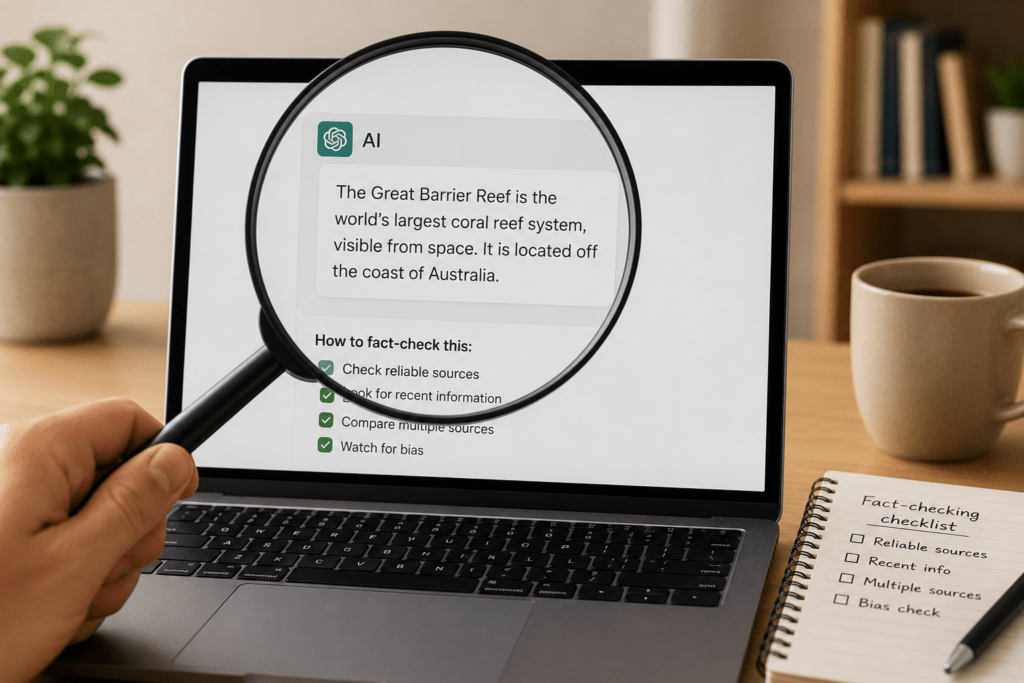
Not verifying factual claims. ChatGPT occasionally produces incorrect factual information with complete confidence. In case of specific facts — dates, statistics, names, legal requirements — always verify through an authoritative source before using them in any professional context.
For a broader comparison of ChatGPT against alternative AI tools, our platform comparison guide covers the differences in detail. For context on the limitations that apply to ChatGPT and all other major AI tools, our realistic guide to AI capabilities is worth reading alongside this one.
ChatGPT’s Most Useful Features You Might Not Know About
Memory. ChatGPT can remember information about you across conversations — your preferences, your situation, your communication style — so you don’t have to re-explain yourself every session. Enable this in Settings under Personalisation. You can tell ChatGPT things you want it to remember: “Remember that I prefer responses without bullet points” or “Remember that I work in healthcare and most of my questions relate to clinical administration.”
Image generation. ChatGPT Plus subscribers can generate images directly in the chat by describing what they want. “Generate an image of a professional logo for a dog grooming business called Spotless, using blue and white colours, with a clean modern style.” The resulting images are not always perfect but are a strong starting point for visual concepts.
File analysis. You can upload documents — PDFs, Word files, spreadsheets, images — and ask ChatGPT to analyse them. Upload a contract and ask for a plain-English summary. Upload a spreadsheet and ask for an analysis of the data. Submit a photograph and ask for a description or a critique.
Voice mode. On mobile, ChatGPT supports voice conversation — you speak, it responds audibly. For people who prefer speaking to typing, this makes the interaction significantly more natural and accessible.





ChatGPT is my friend . I ask any and everything here.
My concern with using chatgpt is majorly the privacy. Also, I do not think it’s a good idea for children, under 15, even, to be exposed to it.
A great tool, nonetheless..