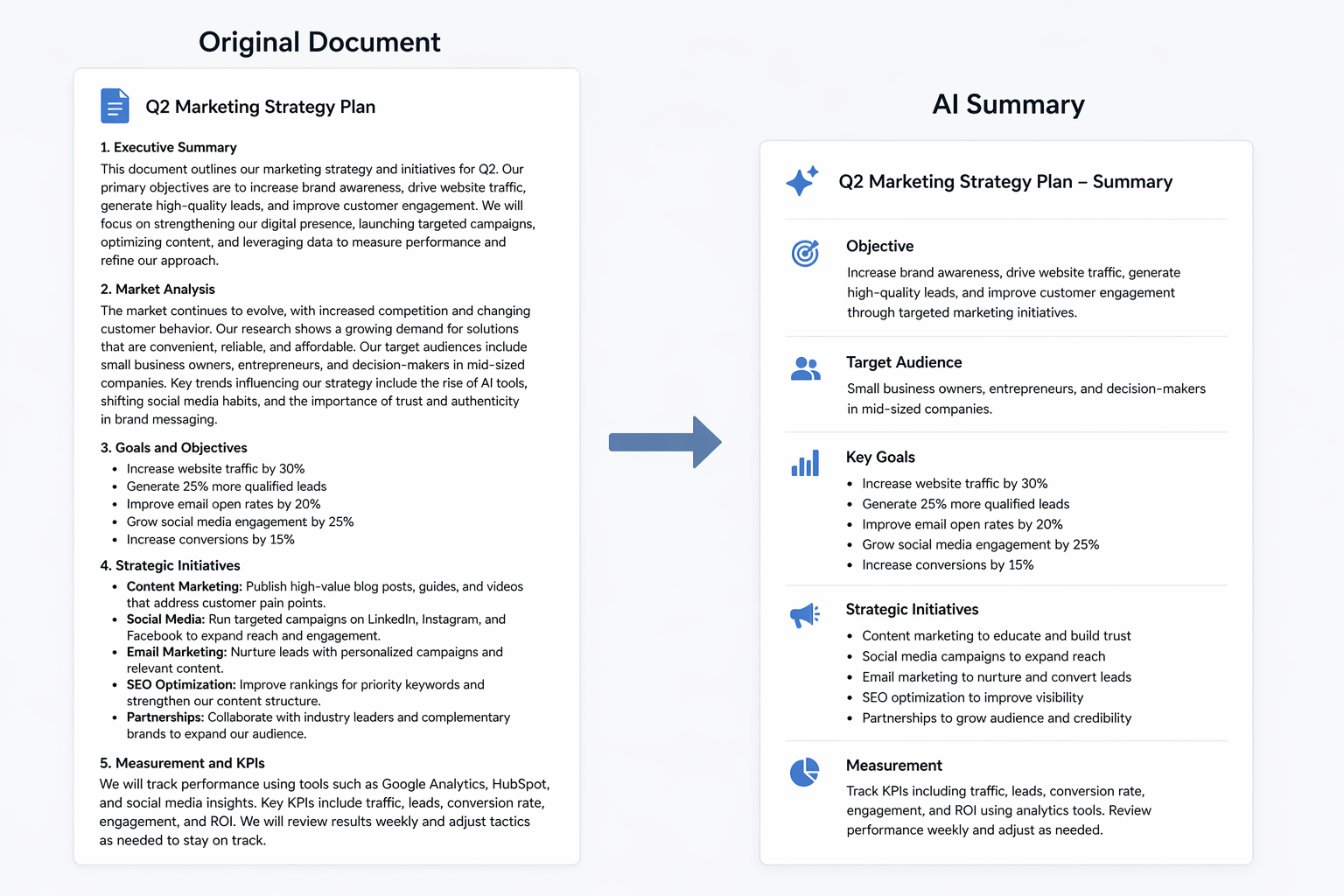
One of the most practically useful things you can do with AI is to summarise long documents — and it is also one of the easiest. Learning how to use AI to summarise long documents requires no technical knowledge, no special setup, and no prior experience with AI tools. If you have a document that would take you forty minutes to read and digest, AI can give you the key points in under a minute. This guide shows you exactly how.
If you’re new to AI tools, our beginner’s guide explains how to get started.
Why AI Is Particularly Good at Summarisation
Summarisation plays to AI’s core strengths. It requires reading and processing large amounts of text, identifying the most important information, and presenting it clearly and concisely. These are tasks that current AI models handle exceptionally well — more reliably, in fact, than many other AI capabilities.
Furthermore, summarisation is a low-risk AI use case. Unlike asking AI to generate factual claims from scratch — where hallucination is a genuine concern — summarisation is grounded in a document you provide. The AI is working from your source material, not generating information from memory. The risk of fabrication is therefore substantially lower.
For more on AI’s limitations more broadly, our guide on what AI can realistically do covers this in detail.
What Types of Documents AI Can Summarise
The range of documents AI handles well for summarisation is broad. Reports and research papers, legal contracts and terms of service, long email threads, meeting transcripts, news articles, financial statements, policy documents, and academic papers — all of these are well within the capability of current AI tools.
In addition, most major AI tools handle multiple file formats. Claude and ChatGPT both accept PDF uploads directly, meaning you can paste in a document or upload the file without needing to copy and paste the text manually.
How to Use AI to Summarise Long Documents: Step by Step
The process is straightforward regardless of which tool you use.
Step 1: Choose your tool. For long documents, Claude is the strongest choice because of its large context window — it can handle longer documents without losing track of earlier content. ChatGPT is a solid alternative. Both accept PDF uploads on free and paid tiers. For a comparison of the top AI tools, see our platform comparison.
Step 2: Upload or paste your document. If the tool accepts PDF uploads, use the attachment function. If not, copy and paste the text directly into the chat window.
Step 3: Write your summarisation prompt. Be specific about what you want. A generic “summarise this” works, but a more specific instruction produces a more useful result. For example: “Summarise the key points of this contract in plain English, focusing on my obligations and any deadlines I need to be aware of.”
Step 4: Review the summary. Read the output against the original document for any section where the stakes are high. For a business report you’re reading for general awareness, a quick skim is sufficient. For a legal contract you’re about to sign, verify the AI’s summary against the original.
Step 5: Ask follow-up questions. The AI has the document in its context, so you can ask follow-up questions without re-uploading. “What does clause 7 actually mean in plain terms?” or “Are there any unusual clauses I should be concerned about?” extend the usefulness of the initial summary.
Writing Better Summarisation Prompts
The quality of your summary improves significantly with a more specific prompt. Here are examples of strong summarisation prompts for different document types.
For a legal contract: “Summarise this contract in plain English. Focus on my key obligations, any financial commitments, the termination clauses, and any deadlines. Flag anything that seems unusual or potentially risky.”
For a business report: “Give me the five most important findings from this report. Then give me a one-paragraph executive summary I could share with a colleague who hasn’t read it.”
For a long article: “Summarise this article in three bullet points. Then give me the author’s main argument in one sentence.”
For a meeting transcript: “Summarise the key decisions made in this meeting, the action items assigned to each person, and any unresolved issues that need follow-up.”
In each case, specifying the format and the focus produces a more immediately usable result than asking for a generic summary.
Important Limitations to Be Aware Of
While AI summarisation is genuinely impressive, two limitations are worth understanding.
First, AI can occasionally mischaracterise nuance. Legal language, financial terms, and technical jargon can be summarised in ways that are technically accurate but miss important qualifications. For high-stakes documents — contracts you’re signing, financial commitments, legal agreements — always read the relevant sections yourself rather than relying solely on the AI’s summary.
Second, extremely long documents may exceed the context window of the tool you’re using. If you’re working with a very large document, Claude’s extended context window makes it the most reliable choice. Alternatively, summarising the document in sections produces more reliable results than attempting to process the whole thing at once.