Most people know the feeling of starting Monday already behind. The to-do list is longer than the available hours, priorities are unclear, and the week feels overwhelming before it has properly begun. Learning how to use AI to organise your week does not solve the underlying problem of having too much to do — but it does make the process of planning, prioritising, and structuring your time significantly faster and clearer. This guide walks you through exactly how.
If you’re new to AI tools entirely, our beginner’s walkthrough explains how to get started before working through this guide.
What AI Can and Cannot Do for Weekly Planning
Before diving into the practical steps, it helps to be clear about what role AI plays in weekly organisation — and where its limits are.
AI is excellent at helping you think through priorities, structure a plan, draft schedules, identify what you might be forgetting, and surface considerations you hadn’t thought of. It is essentially a very capable thinking partner that responds instantly and without judgment.
However, AI does not know your actual calendar unless you share it. It does not know your energy levels, your personal commitments, or the office politics that affect which tasks matter most this week. You need to provide that context. The more specifically you describe your situation, the more useful the AI’s output will be.
For a fuller picture of AI’s capabilities and limitations, see our realistic guide to what AI can do.
Step 1: Do a Brain Dump
The most effective way to start weekly planning with AI is with a brain dump — an unstructured list of everything on your mind, everything you need to do, and everything you’re worried about forgetting. You don’t need to organise it first. That is the AI’s job.
Type something like this into your AI tool: “Here is everything I need to get done this week, in no particular order: [list everything]. Can you help me organise this into a prioritised weekly plan, grouping related tasks and flagging anything that seems urgent?”
The AI takes your unstructured list, identifies natural groupings, flags time-sensitive items, and returns a structured plan. The process of getting everything out of your head and into a structured format — which might take you an hour to do manually — takes minutes with AI assistance.
For help writing effective AI instructions, our prompting guide covers the technique in plain English.
Step 2: Prioritise With AI’s Help
Once your tasks are listed, ask the AI to help you prioritise them. A useful framing is the distinction between urgent tasks — those with imminent deadlines — and important tasks — those with significant long-term consequences regardless of deadline.
Try this prompt: “From this list of tasks, which ones are likely most urgent and which are most important in the long term? Help me identify the three things I absolutely must complete this week and flag anything I could defer without significant consequence.”
The AI will ask clarifying questions if it needs more context, or it will make reasonable assumptions and flag them. Either way, you end up with a clearer sense of where to focus.
Step 3: Build a Realistic Daily Schedule
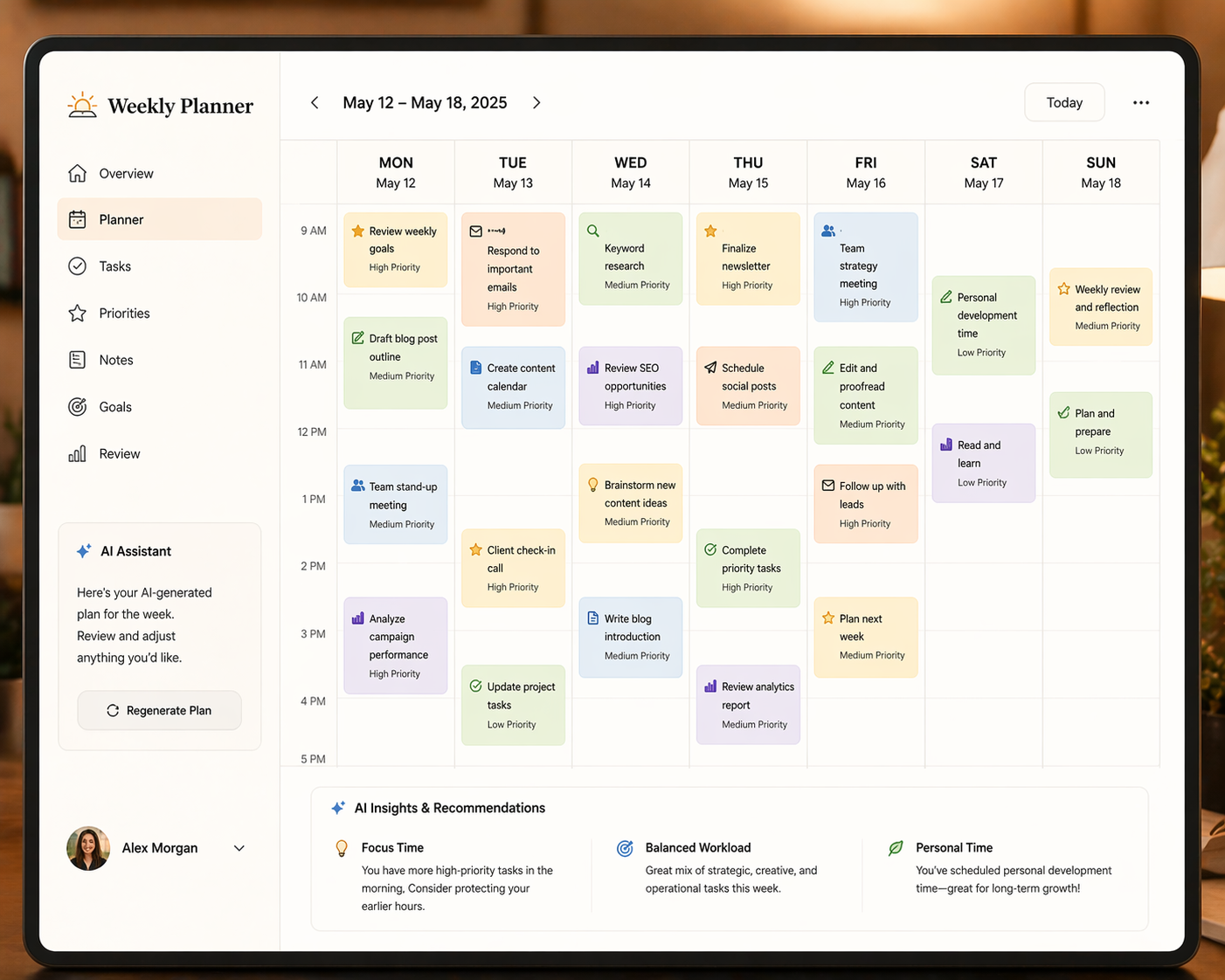
With your priorities clear, the next step is turning them into a realistic daily plan. Share your constraints with the AI — your working hours, your fixed commitments like meetings, and any personal constraints that affect your availability.
For example: “I work from 9am to 5pm Monday to Friday. I have team meetings on Monday and Wednesday mornings from 10am to 11am. I have a school run on Tuesday and Thursday from 3pm. Given these constraints and this priority list, can you suggest a realistic daily schedule for the week?”
The AI produces a draft schedule you can then adjust based on your actual energy levels and preferences. It handles the logical puzzle of fitting tasks into available slots — which is a time-consuming cognitive task when done manually.
Step 4: Use AI for Weekly Review
Planning is only half of effective weekly organisation. Reviewing how the week went — what you completed, what slipped, and what needs to carry forward — is equally important and equally well-suited to AI assistance.
At the end of the week, share a summary of what you achieved and what you did not. Ask the AI to help you understand any patterns — “I notice I consistently don’t complete tasks scheduled for Friday afternoons. What might explain this, and how could I adjust my planning?” — and to carry forward unfinished items into next week’s plan.
Over time, this review-and-adjust cycle produces a planning system that genuinely fits how you work.
Practical Tips for Better Results
A few additional techniques improve the quality of AI-assisted weekly planning.
Be specific about your context. The more the AI knows about your role, your priorities, and your constraints, the more targeted its suggestions will be. A generic prompt produces a generic plan.
Use AI as a sounding board, not an authority. The plan AI produces is a starting point, not a prescription. Adjust it based on your own judgment, and don’t feel obliged to follow it rigidly.
Revisit mid-week. Wednesday is a natural checkpoint. Share your progress with the AI and ask it to help you adjust the remaining days based on what has and hasn’t been completed.