

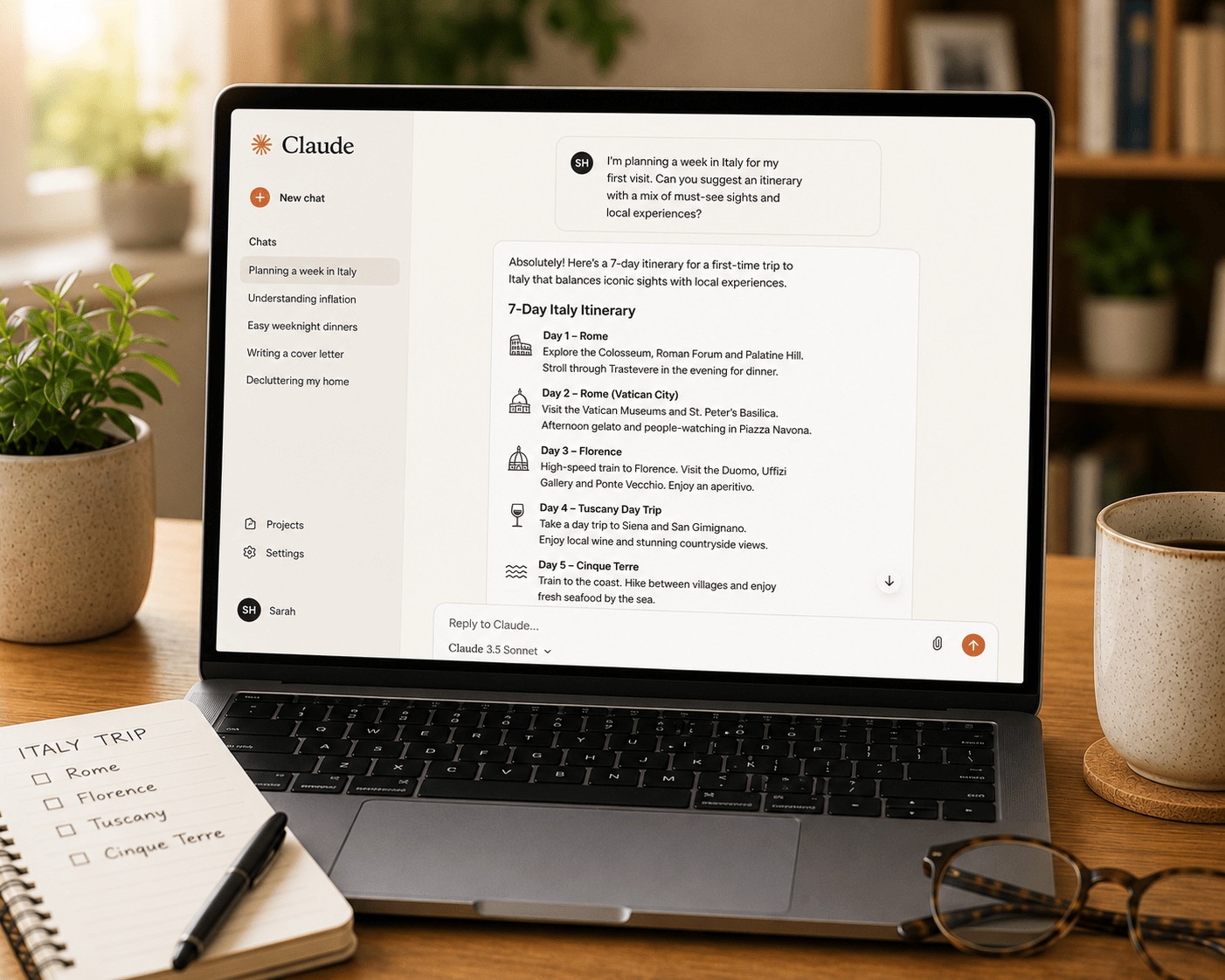
Most people who explore AI tools start with ChatGPT, try it for a while, and eventually hear that Claude is worth looking at — particularly for writing, for working with long documents, and for tasks where following specific instructions precisely matters more than raw speed or breadth of features. Understanding how to use Claude AI well, and specifically when Claude is the right tool rather than ChatGPT or Gemini, is what separates people who get genuinely excellent results from AI from people who get mediocre results because they’re using the wrong tool for the job. This guide covers exactly how to use Claude, what makes it distinctively different, and the specific situations where it consistently outperforms alternatives.
What Makes Claude Different From Other AI Tools
Claude is made by Anthropic, a company founded with a specific focus on AI safety and reliability — meaning AI that behaves in ways that are honest, helpful, and consistent rather than generating impressive-sounding output that is factually shaky or tonally inconsistent.
In practical terms, this focus on reliability manifests in three distinctive characteristics that matter to everyday users.
Instruction-following precision. When you tell Claude to keep a response under 150 words, it does. When you specify a formal tone, it maintains that tone consistently throughout rather than drifting. Even when you go extra specific and ask for exactly three bullet points, you get exactly three. This precision matters enormously for professional tasks where the format is not a preference but a requirement — a report that needs to be a specific length, a communication that needs to maintain a specific register throughout, a document that needs to follow a specific structure without exception.
Writing quality and coherence. Claude’s writing is widely regarded as the most natural and polished of any major AI tool. For long-form content specifically — documents running to thousands of words, reports that need to maintain consistent argument and tone across multiple sections, professional communications where the quality of the writing reflects directly on the sender — Claude produces output that requires the least editing before use.
Long document handling. Claude’s context window — the amount of text it can process in a single conversation — is among the largest available, currently up to one million tokens in beta for Pro and Max subscribers, with 200,000 tokens available on the free tier. In practical terms, this means Claude can read, understand, and answer questions about documents that other tools either cannot handle at all or handle with significantly degraded accuracy at their limits.
How to Use Claude AI: Setting Up Your Account
Go to claude.ai in any web browser. Click “Sign up” and create an account with your email address, or sign in directly using your Google account. Account creation takes under two minutes.
The free tier gives you access to Claude Sonnet 4.6, a highly capable model, with a 200,000 token context window. Usage limits reset every five to eight hours — in practice, you get roughly ten to twenty messages per window depending on message length before hitting the limit. For light or moderate use, the free tier is entirely sufficient. For daily professional use, the Pro plan at $20 per month gives you approximately five times more usage, priority access during peak times, and access to Claude Opus 4.6 — the most capable model in the Claude family.
Once you are in, you see a clean, minimal interface: a text box at the bottom, conversation area above, and a simple sidebar for past conversations. Unlike ChatGPT’s interface, which has become increasingly feature-dense, Claude’s interface is deliberately simple — designed to focus on the conversation rather than the surrounding features.
How to Use Claude AI for Writing Tasks: Where It Excels
Writing is the area where learning how to use Claude AI pays off most immediately and most visibly.
Professional correspondence.
For formal letters, detailed emails, professional reports, and any written communication where tone and precision matter, Claude consistently produces the most polished first draft of any major AI tool. The key is providing specific tone instructions alongside the content requirements.
“Please write a formal letter to my landlord requesting that they address a persistent damp problem in the kitchen. The tone should be firm and professional without being aggressive. I want to clearly document the history of the issue — I first reported it six months ago and have followed up twice — and make it clear I expect resolution within fourteen days or will escalate to the relevant housing authority. Please include a clear, specific description of the problem: damp patches on the north-facing kitchen wall, visible mould in the corner by the window, and a persistent musty smell.”
The resulting letter captures everything specified — the history, the tone, the deadline, the escalation warning — without anything that wasn’t asked for, and in consistently formal language throughout.
Long-form content.
For reports, proposals, articles, essays, or any content running to more than a few paragraphs, Claude maintains structural coherence and consistent tone better than alternatives. Ask for a detailed outline first, review and adjust it, then ask Claude to write each section in sequence. The result is a document that reads as a coherent whole rather than a collection of individually generated paragraphs that don’t quite fit together.
Editing and improving existing writing.
Paste your own draft into Claude and ask for specific improvements. “Please improve the clarity of this report section without changing the factual content. The current version is dense and difficult to follow — I want it to be readable for someone without a technical background.” Claude makes targeted improvements to what you’ve written rather than rewriting it into something unrecognisable.
How to Use Claude AI for Long Document Analysis
This is Claude’s most distinctive capability relative to alternatives, and the one most worth understanding in detail.
Upload a long PDF, paste in a long document, or share an extensive amount of text, and Claude can process the entire thing within a single conversation. This means you can paste an entire contract, a full research report, a complete set of meeting notes from a long project, or an extensive email thread and ask questions about all of it at once.
“Here is a service agreement I’ve been asked to sign. Please read the entire document and then: first, summarise the key terms in plain English; second, identify any clauses that are unusual or potentially disadvantageous for me as the customer; third, flag any obligations I would be taking on that I might not have expected from a standard service agreement of this type.”
Claude reads the complete document — not a truncated version, not a summary of the beginning — and produces a thorough, accurate response that genuinely engages with the specific content. This use case alone — making long, complex documents accessible without reading every word — is one of the most practically valuable AI capabilities available to non-technical users.
How to Use Claude AI: The Iteration Approach
Like all AI tools, Claude produces better results through iteration than through single-exchange queries. However, Claude’s instruction-following precision makes the iteration process particularly efficient — when you give specific feedback, the adjustment is accurate rather than approximate.
If the first response is close but needs adjustment: “This is mostly right but the tone in the second paragraph is too informal. Please revise just that paragraph to match the formal register of the rest of the document.”
If the format needs changing: “Please restructure this as a numbered list rather than paragraphs. Keep the content identical.”
If the length needs adjusting: “This is 400 words and I need it to be approximately 200. Please cut it in half while preserving the most important points.”
If you want a different angle: “I’ve read this version. Please write an alternative version that takes a completely different approach — leading with the emotional benefit rather than the practical features.”
Claude will follow these instructions precisely, which is what makes iteration with Claude fast and productive.
When to Choose Claude Over ChatGPT or Gemini
Understanding when Claude is the right choice — rather than the default choice for everything — is part of using AI tools intelligently.
Choose Claude when: the writing quality of the output matters significantly and will be read by others; you are working with very long documents that need to be understood as a whole; precise instruction-following is important — specific word counts, specific formats, specific tone requirements; you need sustained coherence across a long piece of work; or the task involves nuanced analysis of complex text.
Consider ChatGPT when: you need image generation alongside text; you want the broadest possible feature set in a single tool; you need voice mode; you are doing a wide variety of different task types in the same session; or you want the most widely integrated tool for use across different applications.
Choose Gemini when: you need current information from the web; you are deeply embedded in Google Workspace and want AI assistance that works inside your existing tools; or you are working with multiple media types simultaneously.
For further context on how these tools compare across specific situations, our platform comparison guide provides a thorough side-by-side assessment with specific use-case recommendations. And for the underlying principles of writing prompts that work well with Claude and all other major AI tools, our prompting guide is the right place to continue.





Thank you for this. I practically only use ChatGPT