Many people’s CVs are years out of date, written in a hurry the last time they needed a job, and structured in a way that made sense when they wrote it but may no longer serve them well. When a new opportunity comes up — urgently, because something has changed at work — the process of updating it from scratch under time pressure produces exactly the kind of generic, poorly differentiated document that hiring managers scroll past in under ten seconds. Learning how to use AI to write a CV that genuinely stands out turns this process around. It goes from a stressful sprint into a methodical, high-quality exercise that delivers results. This guide covers every stage — from extracting your strongest achievements to tailoring your CV for specific roles to making sure it gets through automated screening systems.
The Real Reason Most CVs Fail to Get Interviews
Before getting into the AI process for writing a CV, it is worth being specific about why most CVs fail. Understanding the problem is what allows you to fix it properly, rather than just reformatting the same weak content more attractively.
The most common CV failure is a description of responsibilities rather than achievements. A list of what you were supposed to do in a job tells a hiring manager nothing about how well you did it. Every other candidate for the same role had similar responsibilities. What differentiates you is what you actually achieved — the impact you had, the problems you solved, the results you produced. CVs that describe responsibilities get ignored. CVs that demonstrate achievements get interviews.
The second most common failure is a lack of tailoring. A generic CV sent to every employer is a document that is optimised for no specific employer. Modern hiring processes increasingly use an Applicant Tracking System (ATS). An ATS is a software that scans CVs for keywords relevant to the specific job description before a human ever sees them. A CV that doesn’t contain the right keywords for the specific role gets filtered out automatically, regardless of the candidate’s actual suitability.
The third failure is poor structure and readability. Hiring managers typically spend seven to ten seconds on a first pass of a CV. If the most relevant, impressive information is not immediately visible — if it’s buried in the third bullet point of the fourth job, or hidden in a dense paragraph — the CV fails at its first job regardless of the quality of the content underneath.
AI addresses all three of these failures directly. This is why learning how to use AI to write a CV well produces meaningfully better results than writing it manually.
Step 1: Extract Your Strongest Achievements With AI’s Help
The starting point for any strong CV is a clear inventory of your achievements. Not your responsibilities, but the specific things you did that made a difference. This is the step most people find hardest, because identifying what is genuinely impressive about your own work requires a combination of self-awareness and professional perspective that is difficult to apply to yourself.
AI helps by asking the right questions. Start with this prompt: “I want to identify the strongest achievements from my career to include in my CV. I’m going to describe my roles and what I did in them. Please ask me questions that help me identify specific achievements, results, and impacts — rather than just listing responsibilities. Push me to be specific about numbers, timelines, and outcomes wherever possible.”
Answer every question as specifically as you can. If the AI asks “did this project achieve its goals?” don’t answer “yes, I think so.” Answer “yes — we delivered three weeks ahead of schedule and under budget by 15%, and the client renewed for a second year.” Those specific details are what transforms a responsibility into an achievement.
After working through each role, ask the AI to consolidate. You can ask something like: “Based on everything I’ve told you, what are my ten strongest career achievements that I should lead with on my CV?” The resulting list becomes the foundation of the CV.
How to Use AI to Write a CV Summary That Opens Doors
The professional summary at the top of your CV — the three-to-five-sentence paragraph that appears immediately below your name — is the most read section of the entire document. It is the section that determines whether a hiring manager reads on or stops. Most professional summaries are either absent entirely or generic to the point of meaninglessness. “A highly motivated professional with extensive experience seeking a challenging role in a dynamic organisation.” What does that even mean?
AI writes significantly better professional summaries when given specific, targeted input. After extracting your achievements, use this prompt: “Write a strong professional summary for my CV based on the achievements and experience we’ve discussed. The summary should be three to four sentences long, written in third person, and tailored to [the type of role or industry you’re targeting]. It should lead with my most impressive credential or achievement, communicate my professional identity clearly, and avoid clichés like ‘dynamic,’ ‘motivated,’ and ‘passionate.'”
Ask for three versions and choose the strongest elements from each. Alternatively, ask the AI to refine one version based on specific feedback. “This is good, but too formal. Make it sound more like a senior professional speaking naturally rather than a corporate press release.”
Step 2: Tailor Your CV for Each Specific Role
A single generic CV sent to every employer is one of the most common and most costly CV mistakes. Tailoring your CV for each specific role increases your chances of passing automated screening systems and improves your relevance in human review. However, it is time-consuming to do manually, which is why most people don’t do it.
AI makes tailoring fast enough to be realistic. Paste the job description into your AI tool alongside your current CV and use this prompt: “Here is the job description for a role I’m applying for: [paste job description]. Here is my current CV: [paste CV]. Please do three things: first, identify the ten most important keywords and requirements in the job description. Second, check which of these appear in my CV and which don’t. Third, suggest specific edits to my CV — revised bullet points, additions, and reordering — that would make it more relevant to this specific role without being dishonest.”
The AI identifies the gaps between what the employer is asking for and what your CV currently demonstrates. Then, it suggests specific language to close those gaps. This process takes fifteen to twenty minutes per application and produces a meaningfully more relevant CV for each role.
How to Use AI to Write CV Bullet Points That Demonstrate Impact
The individual bullet points describing your work experience are where most CVs are weakest. Typical CV bullets describe tasks: “Responsible for managing the team’s project pipeline” or “Handled customer enquiries and resolved complaints.” These are responsibility statements. They tell the reader what you were supposed to do, not what you achieved.
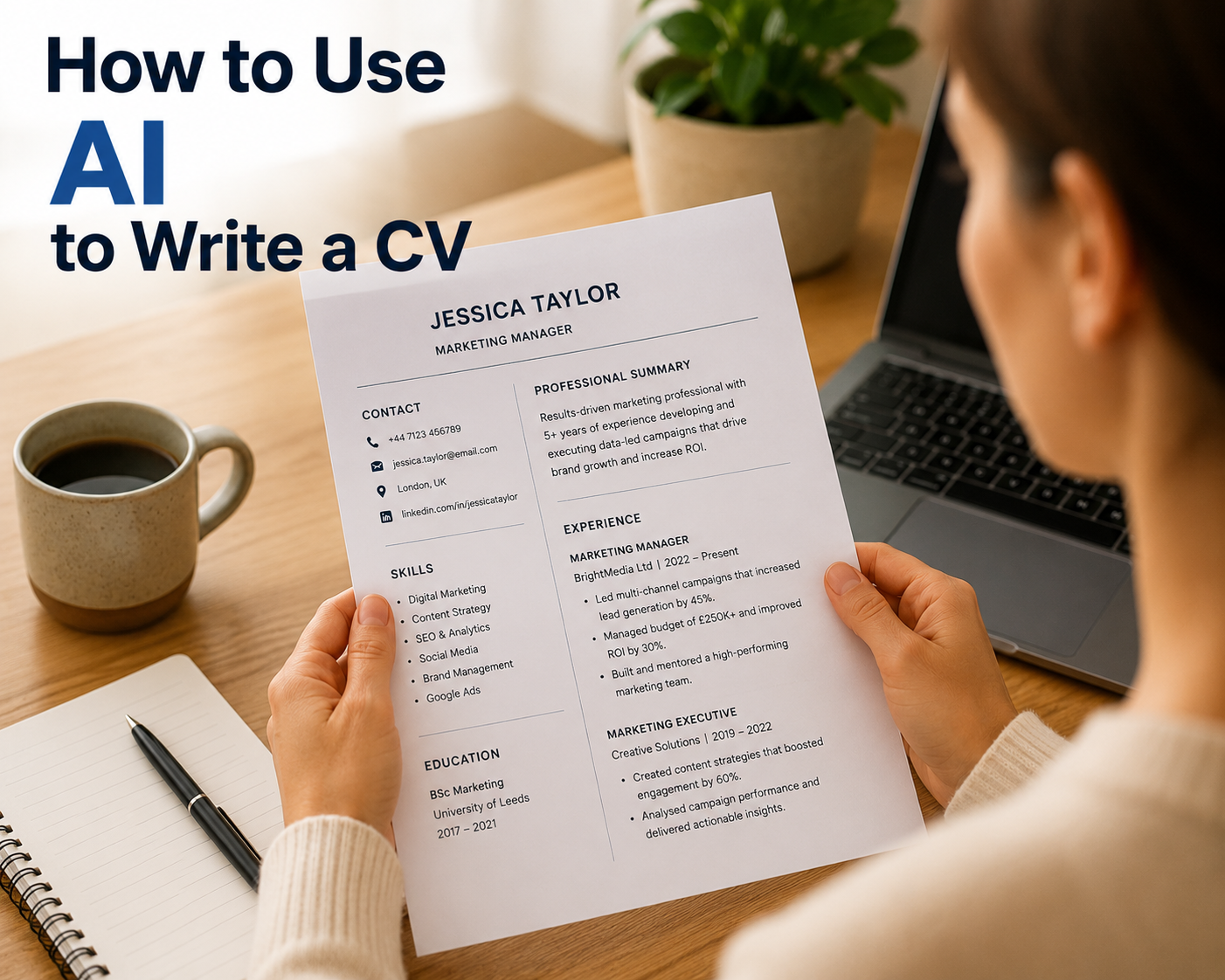
Strong CV bullets follow the formula: Action verb + specific task + measurable result. “Restructured the team’s project pipeline, reducing average delivery time by 22% over six months.” “Resolved customer complaints with a 94% satisfaction rating, contributing to a 15% increase in repeat business.”
AI is excellent at transforming weak responsibility statements into strong achievement statements when given the underlying information. “Here are my current CV bullet points for this role: [paste bullets]. Here is additional context about what I actually achieved: [describe outcomes, numbers, impacts]. Please rewrite these as strong, achievement-focused bullet points using the action verb plus result formula.”
If you don’t have specific numbers — which is common — ask the AI to help you estimate. “I don’t have exact figures for the time saving, but I know it was significant. What would be a credible way to describe this impact without fabricating a specific number?” The AI suggests language that is honest and impactful without requiring data you don’t have.
Making Your CV Pass Applicant Tracking Systems
Applicant Tracking Systems scan CVs for keywords before a human ever sees them. A CV that uses different terminology from the job description — even when the underlying skills are identical — gets filtered out. A candidate who says “team leadership” on their CV applying for a role that specifies “people management” may be eliminated despite being perfectly qualified.
After tailoring your CV for a specific role, ask AI to do a final keyword check: “Please compare my tailored CV to this job description and identify any important keywords or phrases from the job description that are missing from my CV or expressed using different terminology. For each gap, suggest where and how to add the missing keyword naturally.”
Additionally, ask the AI to flag any formatting issues that might cause problems for ATS software: “Based on standard ATS requirements, are there any formatting elements in my CV description — tables, text boxes, unusual fonts, graphics — that might cause parsing errors? What format does an ATS-friendly CV use?” This prevents the situation where a well-written CV fails not because of its content but because of its formatting.
How to Use AI to Write a CV for a Career Change
Career changers face a specific CV challenge: their experience is relevant, but it doesn’t look relevant on paper. The job titles, the industries, and the terminology of their previous career don’t map neatly onto the role they’re targeting. AI is particularly useful for career change CVs because it can identify and articulate transferable skills more effectively than most people can do for themselves.
“I am changing careers from [previous field] to [target field]. Here is my experience: [describe your background]. Here is the type of role I’m targeting: [describe target role]. Please help me reframe my experience to highlight the transferable skills that are most relevant to the target role. Which aspects of my background are genuinely most valuable to a hiring manager in [target field], and how should I describe them in CV language that makes the connection clear?”
The AI identifies the underlying capabilities — project management, client relationships, data analysis, written communication — that are valued in your target field and helps you describe your past experience using the vocabulary of that field rather than your previous one.
The Final Review: What to Ask AI Before You Send
Before sending any CV, use AI for a final quality review. This takes roughly ten minutes and catches issues that are easy to miss when you’ve been looking at the same document for hours.
“Please review this CV and tell me: Are there any statements that are vague or generic and could be strengthened? Are there any gaps or inconsistencies that a hiring manager might question? Does the professional summary reflect the strongest version of my candidacy for [target role]? Are there any sections that are too long or that could be cut without losing important information? Does the overall impression of the CV match the level of the roles I’m applying for?”
Work through the AI’s feedback systematically, making the changes that improve the document and pushing back on any suggestions that don’t reflect your judgment about what matters. The CV is yours — the AI is your editor and advisor, not the author.
For the interview that follows a successful application, our guide to using AI for interview preparation covers the next stage of the process in the same level of practical detail.