Budgeting is one of those things most people know they should do and consistently find reasons not to. The tools feel complicated, the process feels tedious, and the result is not exactly motivating. Staring at numbers that show you’re spending more than you thought is not motivating. Learning how to use AI to build a personal budget removes the three biggest barriers: the complexity of the tools, the time required to set everything up, and the uncertainty about where to start. This guide walks through the entire process in plain English, from first conversation to working budget. You do not need a single formula or spreadsheet.
Why Most Budgeting Attempts Fail — and How AI Changes That
Traditional budgeting advice points people towards spreadsheet templates, dedicated budgeting apps, or financial planning software. Each of these approaches has a learning curve. The spreadsheet requires formula knowledge. The app requires setting up categories, linking accounts, and navigating an unfamiliar interface. The software often assumes financial literacy that many people don’t have.
The result is that most budgeting attempts stall before they produce anything useful. People spend more time fighting the tool than thinking about their money, get frustrated, and abandon the process entirely.
AI changes this dynamic by removing the tool complexity entirely. Instead of learning a spreadsheet or app, you have a conversation. You describe your income and expenses in plain language, and the AI organises that information into a clear, usable structure. No formulas, no categories to configure, and no interface to navigate. Just a conversation that ends with a working budget.
Step 1: Gather Your Numbers Before You Start
Before opening your AI tool, spend five to ten minutes collecting the basic numbers you’ll need. You don’t need perfect figures — reasonable estimates are sufficient for a first budget. The goal is to capture the shape of your finances, not to account for every penny.
The numbers to gather are your monthly take-home income after tax, your fixed monthly expenses — rent or mortgage, utilities, insurance, subscriptions, loan repayments — and your variable monthly expenses — food, transport, clothing, eating out, entertainment. If you’re not sure of exact figures for variable expenses, look at three months of bank statements. You can get an average from there.
Having these numbers ready before you start the AI conversation makes the process significantly faster and produces a more accurate first budget.
Step 2: Start the Budget Conversation
Open your AI tool of choice — Claude or ChatGPT both work well for this task — and begin with a clear, specific prompt. Here is a practical starting point:
“I want to build a simple personal budget. My monthly take-home income is [amount]. Here are my fixed monthly expenses: [list them with amounts]. Here are my variable monthly expenses, roughly: [list them with approximate amounts]. Can you organise this into a clear monthly budget? Show me how much I have left over, and flag any areas where my spending seems high relative to my income.”
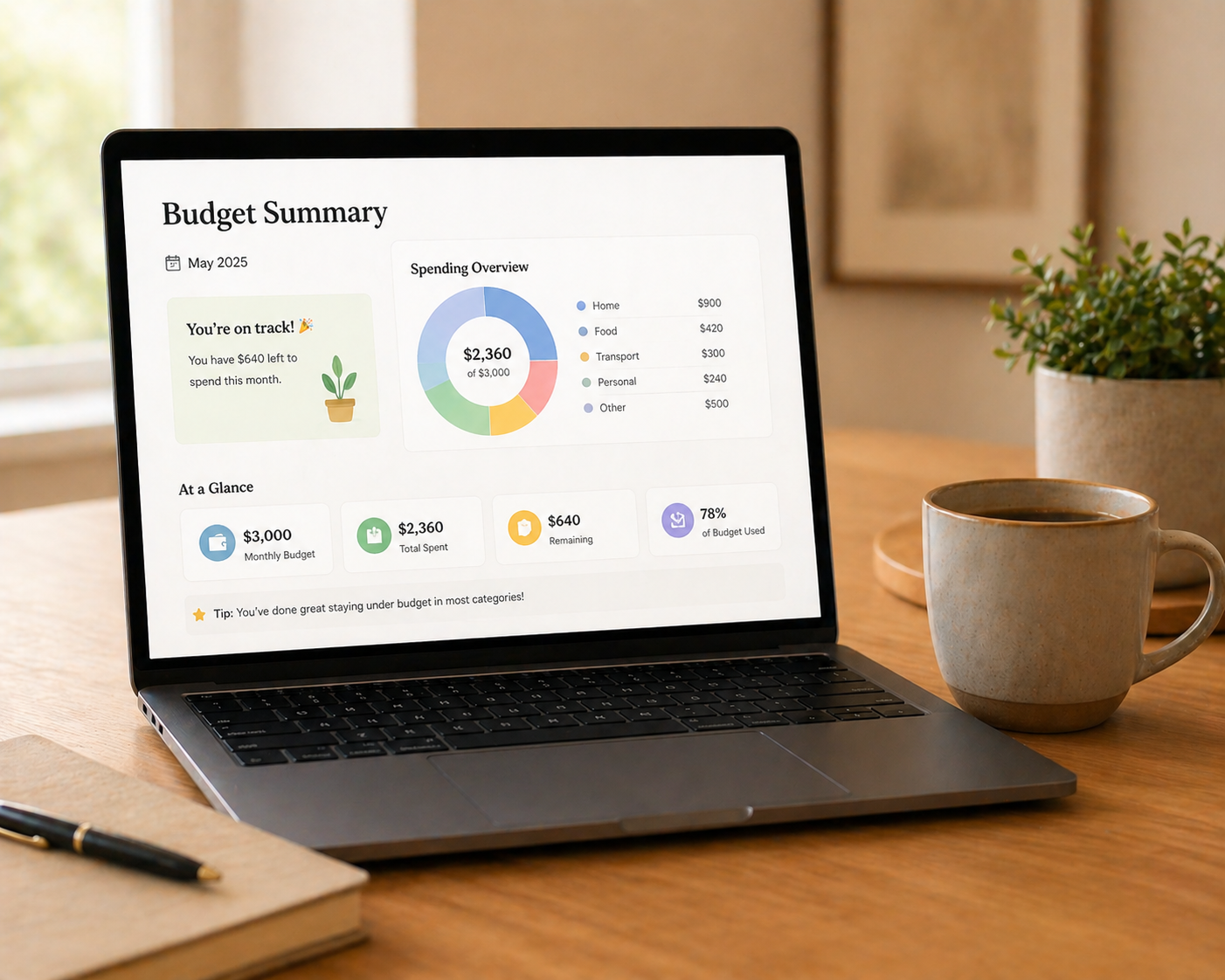
The AI organises your figures into a structured budget, calculates your remaining income after expenses, and — if you’ve asked it to — identifies areas worth examining. The output is typically a clear table or structured list that gives you an immediate picture of where your money goes.
Step 3: Ask AI to Identify Patterns and Problem Areas
Once your basic budget is set up, use the AI conversation to explore it further. This is where AI genuinely adds value beyond what a static spreadsheet does. It can interpret your numbers, ask clarifying questions, and surface insights you might not have noticed yourself.
Useful follow-up prompts include: “Based on these figures, what percentage of my income am I spending on [category]? Is that typical?” and “If I want to save [amount] per month, what would I need to cut?” and “Which of my expenses are likely to be reducible if I needed to free up cash?”
The AI responds to these questions conversationally and practically, without the judgment or complexity that often characterises financial advice. It treats your budget as a practical problem to solve rather than a moral referendum on your choices.
Step 4: Set Up a Simple Savings Goal
Once you have a clear picture of your income and expenses, the natural next step is identifying how much you can realistically save each month and what you’re saving for. AI helps make this concrete.
Try this prompt: “Based on my budget, I have [amount] left over each month after expenses. I want to build an emergency fund of [amount] and save for [goal] by [timeframe]. Can you show me how to allocate my remaining income across these goals and tell me how long each will take to achieve?”
The AI calculates timelines, suggests allocation approaches, and adjusts the plan if you change the variables. This interactive exploration of savings scenarios — something that would require multiple spreadsheet iterations to do manually — takes minutes in a conversation.
Step 5: Turn Your Budget Into a Simple Tracking System
A budget is only useful if you maintain it. AI helps you set up a simple, low-friction tracking system that doesn’t require specialist tools.
Ask the AI to create a simple monthly tracking template you can maintain in a notes app, Google Docs, or even a piece of paper. “Based on my budget, can you create a simple monthly tracking sheet I can use to record my actual spending against my budget? I want something I can maintain in a Google Doc without any formulas.”
The AI produces a clean, simple template with your budget categories pre-populated. Each week, you spend five minutes updating your actual spending. At the end of the month, you compare actual versus budget and use AI to interpret any significant variances — “I overspent on food by [amount] this month. What might explain that and what should I adjust?”
What AI Cannot Do for Your Budget
It is important to be clear about the limits of AI-assisted budgeting. As our guide to what AI can realistically do explains, AI provides general guidance rather than professional financial advice.
AI cannot access your bank accounts to pull actual transaction data — you need to provide the numbers yourself. It cannot predict future changes in your income or expenses. Its knowledge of tax rules, benefits entitlements, pension calculations, and other jurisdiction-specific financial matters may be outdated or incomplete.
For significant financial decisions — debt consolidation, pension contributions structuring, whether to invest rather than save — consult a qualified financial adviser. AI is an excellent tool for building financial awareness and basic budgeting structure. It is not a substitute for professional financial guidance on complex decisions.
A Practical Example Budget Conversation
To make this concrete, here is how a complete budget conversation might look in practice.
You start by describing your situation: monthly take-home of £2,800, rent of £900, utilities of £120, phone of £35, subscriptions of £45, groceries of approximately £250, transport of £80, eating out of approximately £150, clothing of approximately £60, and miscellaneous of approximately £100.
The AI organises this into fixed expenses of £1,100 and variable expenses of £640, giving total monthly outgoings of £1,740 and leaving £1,060 available for savings and discretionary spending.
You then ask it to help you allocate that £1,060 — perhaps £500 to an emergency fund, £300 to a holiday savings account, and £260 as a flexible buffer. The AI calculates that at this rate you’ll build a three-month emergency fund of £6,000 in twelve months and save £3,600 for holidays over the same period.
This entire conversation takes approximately fifteen minutes and produces a clearer, more actionable picture of your finances than most people achieve after weeks of sporadic spreadsheet work.